One conversation model
Channels are just a field. A thread that opens in Discord can continue over email without losing the customer, the history, or the agent.
Live chat, email, and Discord are channel values over a single conversation model — so every thread lands in one queue with full history and context.
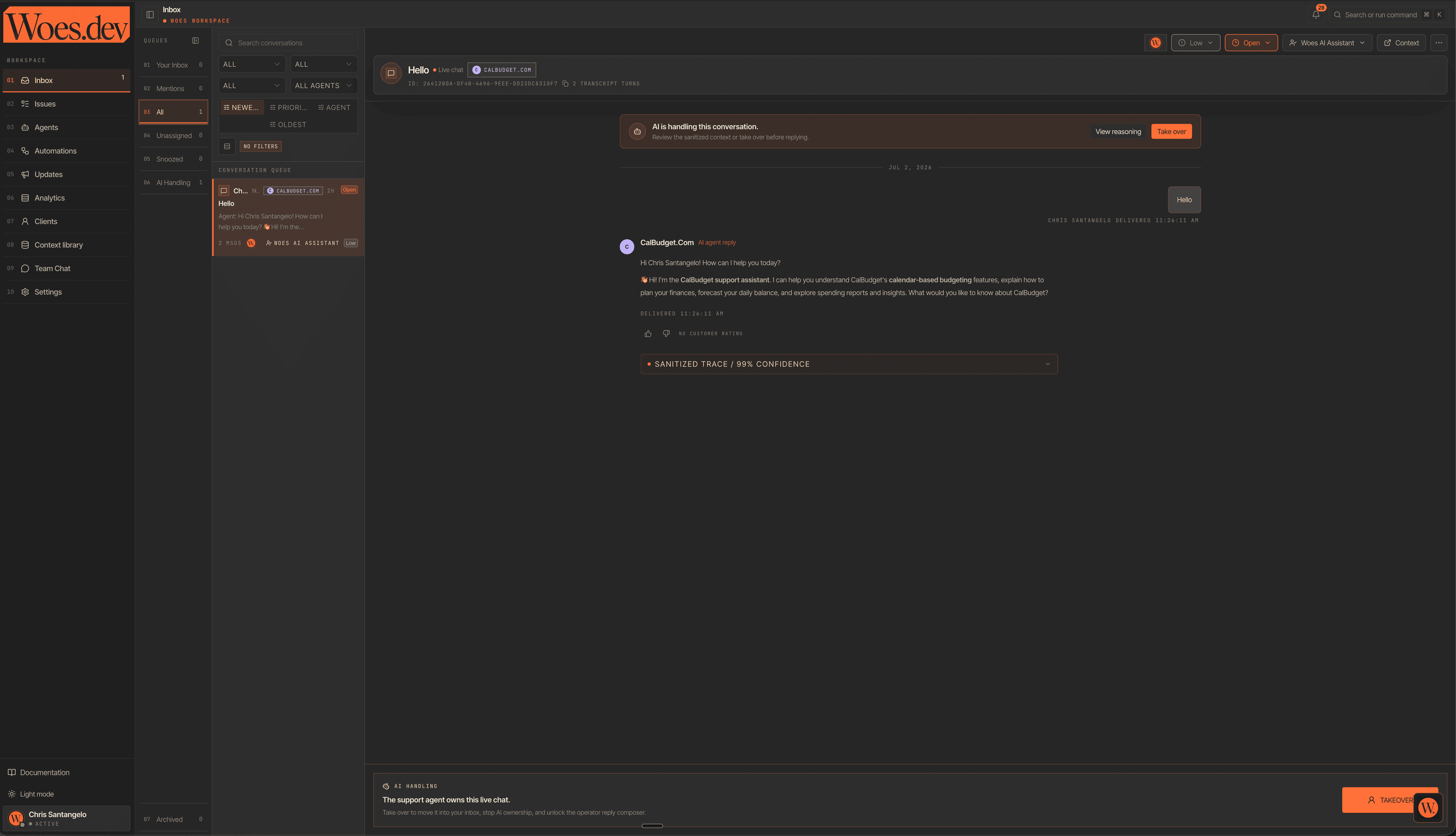
A developer starts in your Discord, follows up over email, then opens the widget on your docs. In most stacks that's three disconnected tickets and an operator stitching context back together by hand. Threads get dropped between tools, history is fragmented, and no one can see the whole customer.
Channels are just a field. A thread that opens in Discord can continue over email without losing the customer, the history, or the agent.
The grounded agent writes the first reply and attaches its citations, so most threads arrive as a review-and-send instead of a blank box.
Operators can step in on any thread at any time. Takeover is always one click away, and the sanitized agent trace explains how it got there.
A thread that opens in Discord can continue over email and finish in live chat — one customer, one history, one owner. Channels are just a field.
Chat, email, and Discord messages flow into a single prioritized queue. Delivery and unread state travel with the thread, so operators triage by what needs a human — not by which tool a message happened to arrive in.
Open any conversation and the full cross-channel history is right there, alongside the API context the agent used to answer. Operators never switch tools to reconstruct what happened before they arrived.
When the agent is unsure, it doesn't guess — it clarifies or routes the thread to a human with the reason attached. Takeover keeps the customer in the same conversation, so escalation never feels like starting over.
Drop the widget on your site, connect an inbound email address, and link your Discord server.
Every inbound message becomes a conversation in one queue, tagged with its channel and delivery state.
Send the agent's grounded draft, edit it, or take over the thread — all without leaving the inbox.
Yes. Woes models channels as values over a single conversation and message schema, so a thread can move between live chat, email, and Discord while keeping one continuous history and one owner.
Any operator can take over any thread with one click. The agent's sanitized trace stays visible so you can see exactly what it did before you stepped in.
The agent clarifies or hands off to a human instead of bluffing. Escalated threads arrive with the reason attached and the customer stays in the same conversation.
From the customer's side it's one ongoing conversation. Operators see the channel and delivery state on each message; customers just get continuity.
Connect live chat, email, and Discord and let grounded drafts meet your operators where the work already lives.